


 Fonctionnalités

- Espace Disque
250 GO - Possibilité d'héberger
1 sites web - Hébergez des pages
ASP.net et PHP - Bande passante
Illimité - Comptes E-mails
Illimité - Control panel
Plesk - SSL
Included - Sous domaines
Illimité - MSsql/ Mysql
Unlimited - Comptes FTP:
Illimité - 270 CMS Wordpress …
included - Possibilité d'héberger
1 sites web
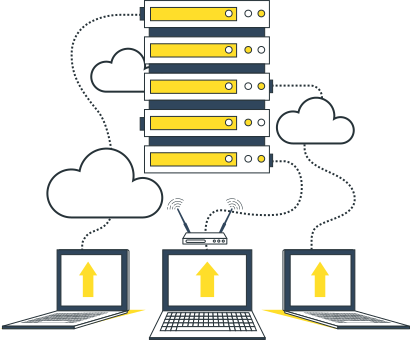
Meilleurs Plans d'hébérgement web Windows au Maroc
Si vous avez choisi d'héberger votre site web au Maroc ou une application nécessitant un serveur Windows, vous pouvez compter sur nos solutions d'hébergement web Windows au Maroc via Plesk. Nous veillons à ce que toutes vos applications fonctionnent correctement sur nos serveurs Windows, garantissant ainsi que votre site web en ASP.NET fonctionne parfaitement.
Outils et services web pour les applications en ASP.net
Profitez de sauvegardes, de migrations de données, d'antivirus/antispams (Antivirus, SpamAssassin), ainsi que de plus de 300 thèmes HTML professionnels. Avec Softaculous, installez en 1 clic plus de 360 CMS, dont WordPress, PrestaShop, WooCommerce, etc.
Notre solution d'hébergement web au Maroc inclut également des options d'hébergement web Windows au Maroc pour une performance optimale.


Infrastructure Serveurs windows ultra-performante
Nous avons construit une infrastructure ultra-performante pour votre site internet, optimisée quotidiennement sur nos serveurs Windows.
Avec notre hébergement web au Maroc, votre site est plus sûr, plus rapide et mieux pris en charge, bénéficiant de plus de 200 templates HTML professionnels gratuits et de sauvegardes journalières.
Optez pour notre hébergement web Windows au Maroc pour des performances optimales.
Nos plans d'Hébergement web Windows au Maroc
Nos avantages

Nos services sont automatisés pour vous garantir un contrôle total et une gestion centralisée.

3 à 30 jours selon le service, vous serez remboursé en cas de non satisfaction.

Plusieurs méthodes de paiement, carte bancaire international et marocaine, carte de crédit, Paypal..

Un partenaire technologique fiable stable et sérieux
Nous sommes régulièrement parmi les premières sociétés d'hébergement à fournir à leurs utilisateurs l'accès aux dernières technologies
Nous travaillons avec des partenaires fiable
Hébergement Web au Maroc rapide et sécurisé pour les entreprises

ASP.NET
.NET vous aide à développer plus rapidement des applications de haute qualité qui s'exécutent sous Windows, Linux et macOS

SQL Server
Fonctions de compression et de cryptage des données hautement sécurisées et transparentes, performances améliorées

Plesk Onyx
La principale plate-forme d'hébergement WebOps avec des fonctionnalités avancées pour gérer les sites Web

Besoin d'aide ? Contactez-nous !
Nous sommes ici pour répondre à vos questions sur nos produits et vous aider à trouver la solution qui repond à vos besoins


Questions fréquemment posées
Des réponses objectives pour les questions fréquentes
- Une fois dans le Gestionnaire de fichiers, ouvrez le répertoire public_html. Cliquez sur Upload après être entré dans le répertoire public_html. Vous pouvez cliquer sur « Sélectionner un fichier » pour sélectionner un fichier spécifique, ou simplement glisser-déposer votre fichier dans la zone délimitée.
- L'hébergement mutualisé est destiné aux débutants.
Si c'est la première fois que vous créez un site Web et que vous souhaitez héberger votre propre site mais externaliser une grande partie des tâches techniques complexes, l'hébergement mutualisé est un excellent choix.
- Si vous avez un site Web à fort trafic ou un très grand site Web, vous voudrez peut-être examiner d'autres options d'hébergement, comme les serveurs dédiés, l'hébergement VPS, l'hébergement de serveur cloud ou même l'hébergement spécifique à WordPress.
- Connectez-vous à votre panneau de contrôle cPanel via votre Hub Funio.
Tout en bas de la page, vous trouverez Softaculous Apps Installer, où vous pouvez choisir l'application/le logiciel/CMS que vous souhaitez installer. Vous pouvez aussi chercher un logiciel précis par catégorie.
Vous pouvez aussi choisir, dans la section Logiciel, Softaculous Apps Installer qui vous redirigera vers l'interface de Softaculous. Une fois le logiciel choisi, il suffit de cliquer sur Installation, puis de remplir les champs suivants.
Choisissez un protocole: HTTP://, ou HTTPS:// si vous avez un certificat SSL Choisissez un Domaine: Le nom de domaine sur lequel vous voulez installer le logiciel Dans le dossier:
Dans le cas où vous souhaitez que l'application soit installée dans un sous-répertoire du domaine spécifié (par exemple demofunio.com/blog), vous y mentionnez le sous-dossier.
Si vous avez déjà créé le sous-dossier, veuillez le supprimer car Softaculous va le créer lors de l’installation.