

Startup Website
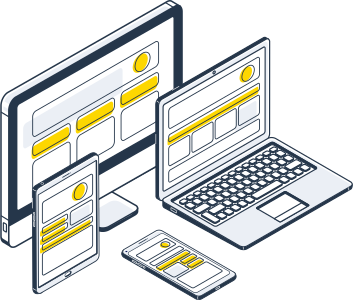
Because we are always on the lookout for the latest web trends, you can entrust your website to us with complete peace of mind…
In terms of web page coding, we comply with W3C standards in order to improve the accessibility of your website to different web browsers (FireFox, Internet Explorer, Google Chrome, Opera, Safari, ...)
A website is a real growth tool for your business. It plays a big role in increasing your visibility with your customers and suppliers or fun.
If you are a retailer, a craftsman or an entrepreneur, the creation of a website allows you to make yourself known to the general public
Rich, lively and dynamic, the website is an effective communication tool to promote your company, your activities, your products or services in all areas.
A website allows you to communicate about yourself, your news, your performances, your schedule of tours, sports appointments...
We work with state-of-the-art tools
In terms of web page coding, we comply with W3C standards.

Wordpress
We create professional, user-friendly, and secure websites that will increase your company's online presence.

HTML
Create effective web pages and web applications that represent your business online in the best possible way.

PHP
Using PHP speeds up the loading of your website's pages, which is ideal for SEO.

Shopify
Get more than just e-commerce software with tools to manage every part of your business

WIX
With over 900 strategically designed templates and advanced SEO and marketing tools

Prestashop
Flexible and easy to manage, multiple payment gateways and many other advantages

jQuery
We use the latest technologies to create fast websites that will quickly serve your customers.

MySQL
Its proven performance, reliability, and ease of use make MySQL the best choice for web applications.
Frequently Asked Questions
Objective answers to frequently asked questions
- Sitebuilder Pro makes it easy to create websites without necessarily needing to know how to code (although for more “advanced” sites, you’ll need to modify the code,
if you don’t have the budget to hire a professional web design company
— You can do it yourself
- Website Type Estimated Design Cost Small Business Website (8–16 pages) Starting at 3,000 Dhs Large Business Website (25–50 pages) WordPress CMS Starting at 7,000 Dhs E-commerce Website (100–200 products) PrestaShop, WooCommerce Starting at $1,200 Custom website Starting at 30,000 Dhs,
These prices are estimates and do not include the cost of text, images, videos, or SEO.
- Conduct keyword research. Search and email are the two most common online activities. ...
Set up Google Analytics. ...
Optimize for search engines. ...
Promote your site through social media. ...
Monitor your site’s progress. ...
Update your content regularly. ...
Engage with email. Why sign up for a maintenance contract?
- A maintenance contract will give you peace of mind, comfort, and security. It will also allow you to benefit from more coverage than a simple annual visit while keeping your budget under control.
We’ll explain everything! What’s the difference between maintenance and a contract?